We’ve been making some changes to Squirrly Social’s interface. The way you work with the product hasn’t changed, but some things should now be easier to see and understand.
The October UI update brings a few visual adjustments to Post Groups, the Menu Bar, and the Calendar. We’ve kept the existing UX / workflow and focused on making the interface look more modern, with clearer visual cues in the places where you manage your posts.
Let’s take a look at what changed.
UPDATE: Post Groups Now Show More Details at a Glance
Post Groups have received a few visual changes to help you see important details without having to look as closely.
First, it’s now easier to tell whether a post contains a URL and to see which URL it includes. If you manage posts that link to different pages, this gives you a clearer view of the links attached to your content.
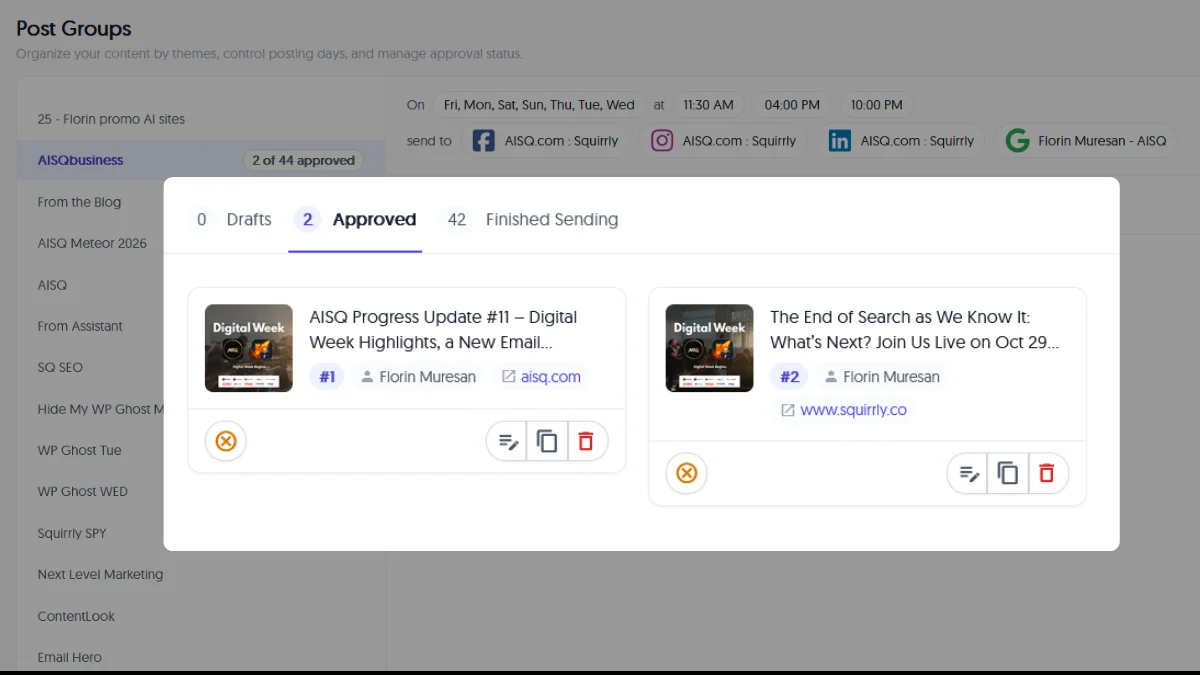
The unscheduled and delete buttons are also easier to spot, thanks to their red coloring.
And there’s one more change: approved posts now display their position numbers in colored tags. You can see the order in which the posts will be sent, making the sequence easier to follow when reviewing a Post Group.
UPDATE: Brand Selection Has Moved in Menu Bar
We’ve also moved the brand selection control in the Menu Bar.
You’ll now find it on the right side of the screen, next to the account settings area.
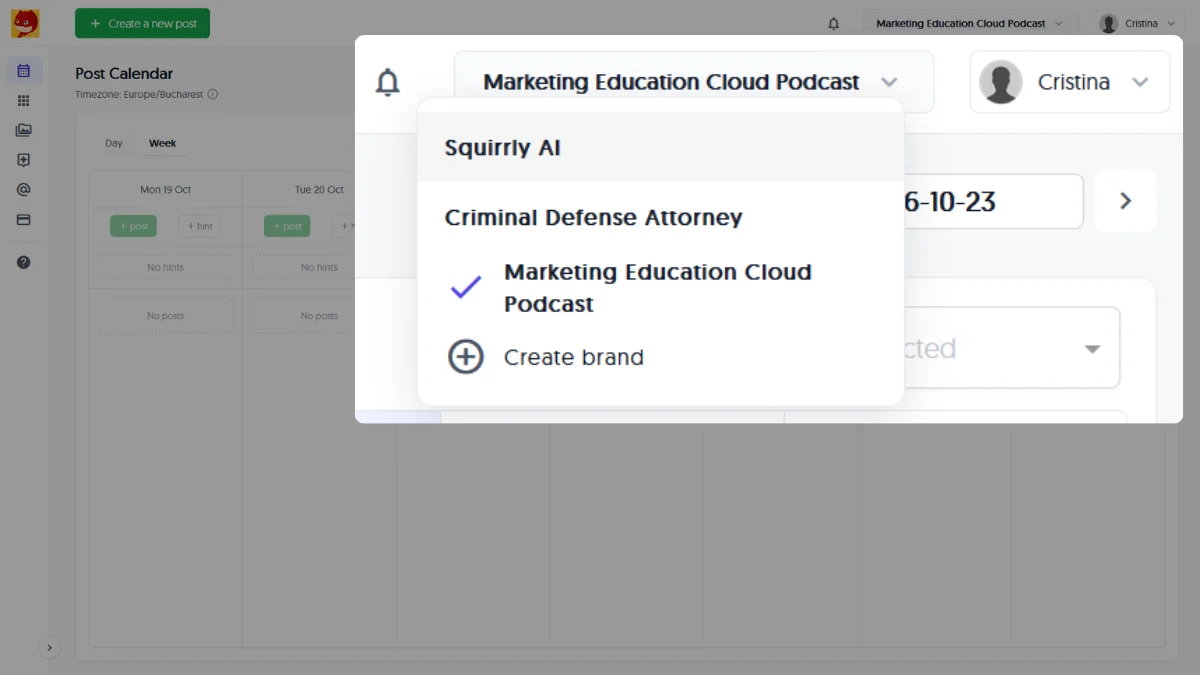
The main change here is the location of the control. If you’re looking for the brand selector in its previous position, check the right side of the screen instead.
UPDATE: A More Consistent Calendar Layout
The Calendar has a small but noticeable layout change: all posts now have the same size.
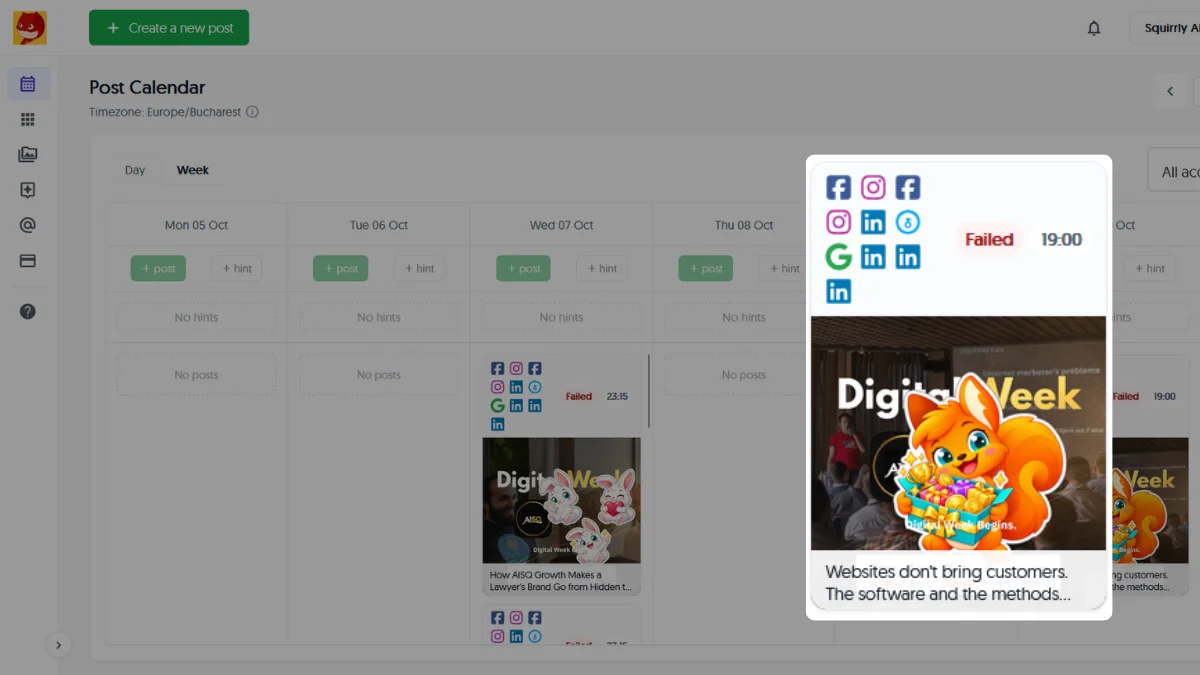
We’ve also moved the social network information and post status above each post. You’ll see the social media platform shown as an icon, along with the status, before the post’s image and caption.
This gives the information about where a post was sent and its current status a consistent position in the Calendar layout.
The Same Workflow, With a Few Visual Changes
These updates are about the interface rather than changes to how Squirrly Social works.
Post Groups now make links, post actions, and publishing order easier to identify visually. The brand selector has a new location in the Menu Bar, and the Calendar uses consistent post sizes with the platform and status displayed above each post.
We’d love to hear your feedback, particularly on the changes to Post Groups and the Calendar. Do the new layouts make things clearer? Do they feel more stable to work with?
Share your feedback or suggestions on our Roadmap here.
Your input helps us decide what to improve next!